
Rapidgator Premium has auto-renewal (a subscription) turned ON by default. If you no longer need it, or you want to avoid an unexpected charge, you can stop the auto-renewal (cancel) at any time.
This article walks you through how to stop the auto-renewal of Rapidgator Premium, step by step with screenshots.
How to stop (cancel) the auto-renewal of Rapidgator Premium
Open your Rapidgator account page.
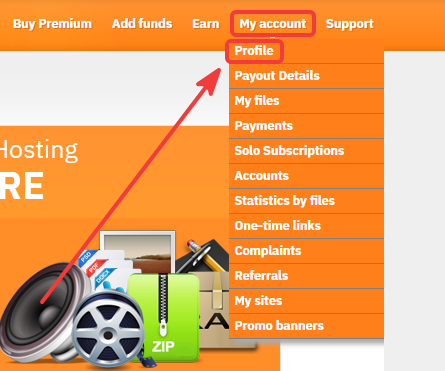
Click My account, then Profile.
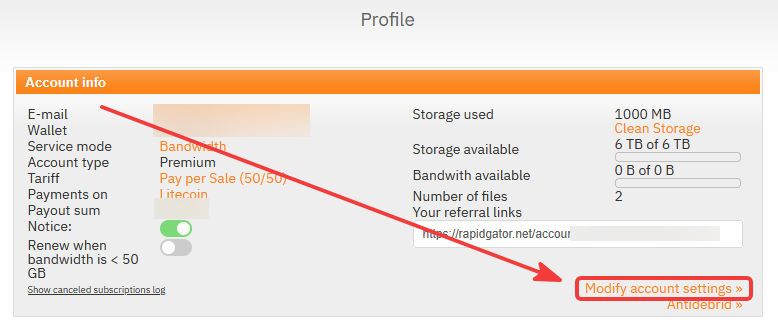
Click Modify account settings.
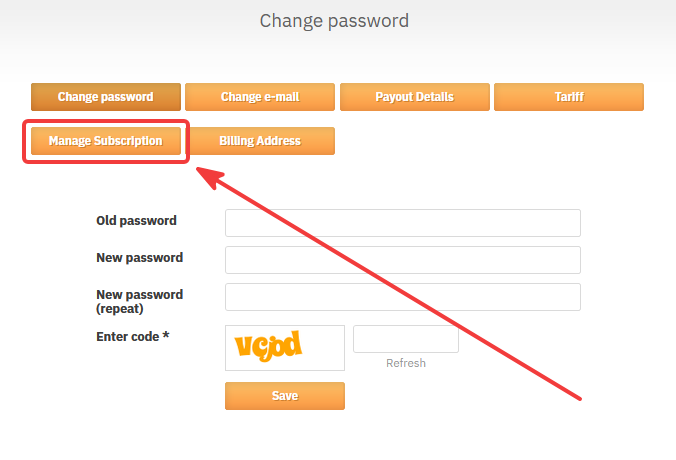
Click Manage Subscription.
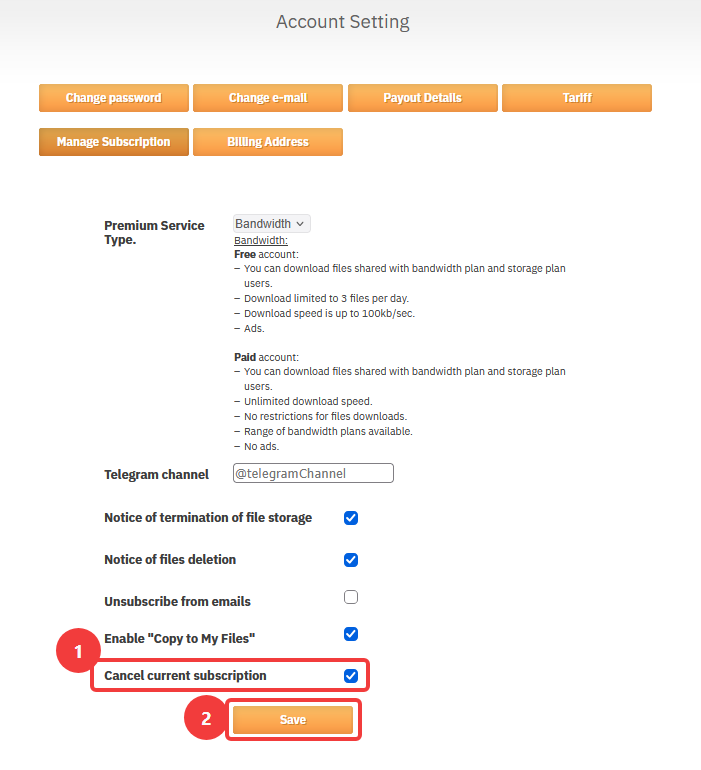
Tick the Cancel current subscription option and click Save.

When you see a message saying your subscription has been cancelled, the auto-renewal is stopped.

The profile screen also shows that the subscription is cancelled. This notice stays there for as long as the subscription remains cancelled.
Frequently asked questions
Do I need to cancel if I bought through a reseller such as Preaka.JP?
If you activated Premium with a Premium coupon bought from a reseller such as Preaka.JP, it does not renew automatically, so there is nothing to cancel. When the period ends, your account simply goes back to the free plan. Auto-renewal is only turned ON when you buy on the official Rapidgator site with a credit card or a similar method.
Summary: you can stop Rapidgator auto-renewal at any time
That’s it.
The auto-renewal (subscription) of your Rapidgator Premium is now stopped.
Even after you stop the auto-renewal, you stay a Premium member until the period you already paid for ends. Your account does not drop back to the free plan right away, so there is no need to worry.
If you later decide you want Premium again, you can turn it back on from the profile screen or simply buy a new plan.
For the basics of using Rapidgator and tools that make it more convenient, see How to Use Rapidgator: Sign-up, Premium Purchase and Payment Methods.

コメント